













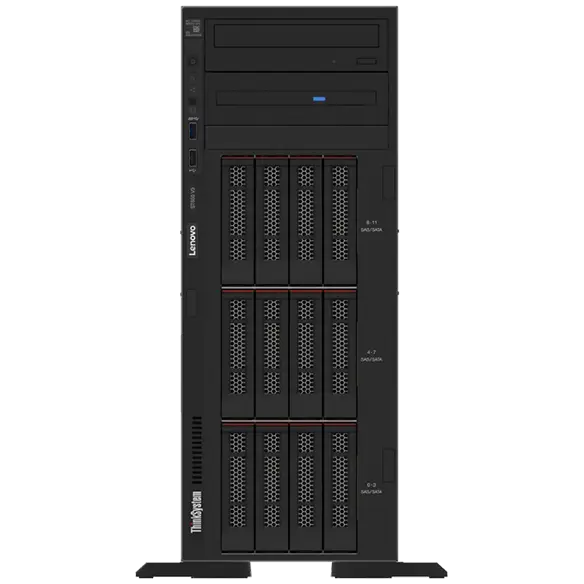
Many businesses still depend on strong and reliable servers. A tower server remains a popular option in 2026. It works well for small and mid-sized companies that need power without a complex data center. A tower server stands like a normal desktop computer. Yet it holds strong processors, large memory, and high storage capacity.
Recent industry reports show that the tower server market size stood at USD 4.30 billion and is forecast to achieve USD 9.45 billion by 2033.
This number shows how useful these machines remain. They offer strong performance, simple setup, and easy maintenance. Companies also prefer them because they cost less than large rack systems. At the same time, they handle many important workloads. Some tasks run better on this server than on other systems.
Today, in this guide, you will learn six workloads that tower servers manage best today.
File Storage and Sharing for Teams
Many companies deal with large amounts of data each day. Employees create documents, reports, and images every hour. These files must stay safe and easy to access. Tower servers store a lot of data in one location and are excellent for file storage. Employees can access files through the company network.
Why They Work Well for File Storage
These servers support multiple hard drives. This design allows companies to store many terabytes of data. They also allow easy upgrades. A business can add more drives when storage needs grow.
Key advantages include
- Central place for business files.
- Easy access for employees.
- Strong data protection.
- Simple storage expansion.
Business Application Hosting
Most businesses run daily software tools. These tools include accounting systems, HR platforms and inventory management software. A tower server can host these applications inside the office network. Employees connect to the server and run the software without delays.
Stable Performance for Office Applications
They provide strong processors and memory. This power helps business apps run all day smoothly. They also support operating systems that manage many users at once.
Common applications include
- Accounting software
- Billing platforms
- Inventory systems
- HR management tools
- Internal portals
When businesses host apps locally, they gain better control over data. They also reduce dependence on external cloud systems.
Backup and Disaster Recovery Systems
Every company needs a strong backup system. Data loss can stop business operations very quickly. These servers play a major role in backup strategies. They store copies of important files and systems.
Reliable Data Protection
This server can run backup software that saves data at regular intervals. This process protects files from accidental deletion or cyber threats. The server can also create recovery images. These images help businesses restore systems after a failure.
Important backup tasks include
- Automatic file backups
- System image storage
- Data recovery management
- Backup monitoring
Because these servers support large storage arrays, they work well for backup workloads.
Local Database Management
Many companies depend on databases to run their operations. These databases store customer records, product information, and transaction details. These servers handle database workloads very well, especially for small and medium businesses.
Strong Processing for Structured Data
This server uses multicore processors and fast memory. This power helps the system handle database queries quickly. The server also supports database software used by many companies.
Examples of databases that run well on servers include
- Customer management databases.
- Retail transaction databases.
- Inventory tracking systems.
- Service management databases.
A local database server improves speed. Employees can retrieve information quickly without internet delays.
Virtual Machines for Office Environments
Virtualization has become common in modern IT environments. It allows a single physical server to run multiple virtual systems. Tower servers support virtualization platforms. This feature allows businesses to run multiple workloads on a single machine.
Running Multiple Systems on One Server
This server can create virtual machines for different departments. Each virtual system runs its own software environment. This setup improves efficiency and reduces hardware costs.
Typical virtual workloads include
- Testing environments for software.
- Development systems
- Internal web servers
- Remote desktop systems
A single such server can replace several smaller machines. This approach saves space, power, and maintenance effort.
Internal Web and Email Hosting
Some companies prefer to manage internal communication systems locally. They run internal websites and email servers inside their own network. These servers can host these services reliably.
Secure Communication Platforms
This server supports web server software and email platforms. This setup allows teams to communicate securely within the organization. The system also keeps business communication private.
Common internal services include
- Company intranet websites
- Employee portals
- Internal email servers
- Knowledge base systems
Hosting these services locally gives businesses full control over data and security policies.
Conclusion
Tower servers continue to play an important role in business technology in 2026. Many companies choose them because they offer strong performance, simple setup, and reliable operation. They also fit well in office environments without the need for large server rooms.
These servers manage many critical workloads every day. They handle file storage business applications and backup systems with ease. They also support database virtualisation platforms and internal communication tools.
This flexibility makes servers a smart choice for small- and mid-sized organizations. Businesses gain strong computing power while keeping costs under control.
Technology will continue to evolve in the coming years. Yet, these servers will remain useful because they provide practical solutions for real business needs. Companies that choose the right workloads for their servers will enjoy stable performance, better data control, and smoother daily operations.