













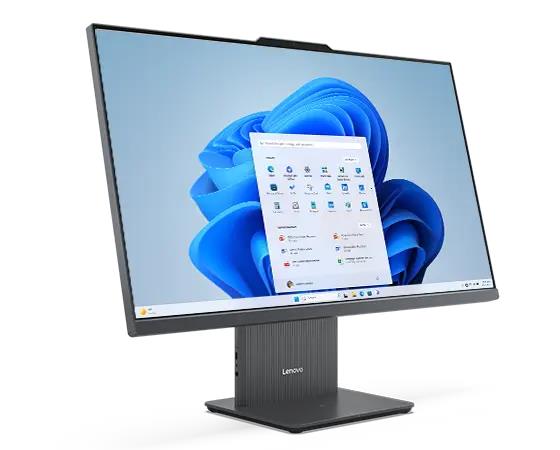
You want a workspace that breathes and lets you think. Modern work feels cluttered and heavy most days. Cables tangle together like vines in a dark forest. A bulky tower takes up your legroom. You deserve a setup that matches your sharp mind. Enter the All-in-One or AIO computer. This machine combines the monitor and the brain into a single slim frame. It saves space and looks beautiful on any desk surface. You gain a clean look that helps you focus on big goals.
This article shows you how to build a smart zone around this sleek tool. We will explore eight clever ways to boost your output. Let us start this journey to a better office right now.
1. Creating Mental Clarity with a Structured Workspace
A clean desk leads to a clear head every single time. The All-in-one computer is your best partner for this mission. It removes the need for a giant box under your feet. You only have one power cord to manage. This simplicity changes how you feel when you sit down. The best AIO computer ensures a streamlined workspace where integrated hardware reduces clutter, improves ergonomics, and creates an environment that supports deeper focus and sustained productivity.
- Keep only your AIO and a notebook out.
- Use a monitor arm to lift the screen.
- Wipe the glass daily to keep it shining.
Keeping the surface empty creates a mental blank canvas. This physical space allows your creativity to expand. Once the clutter vanishes, you can focus on the light.
2. Master the Magic of Natural Lighting
Light dictates your mood and your energy levels. Position your AIO computer near a window if possible. The natural light from windows helps you stay awake and happy during extended work periods. The natural light from windows makes your screen colors appear more vivid. You avoid the dull gloom of flickering office bulbs.
Control the Glow with Smart Blinds
Sheer curtains should be used to reduce the intensity of midday sunlight. Your workspace maintains a pleasant temperature because of this.
Good lighting sets the stage for your physical comfort. A bright room deserves a body that feels great, too. This leads us to the way you sit and move.
3. Build a Zone for Physical Comfort
Your body is the engine of your daily work. An AIO computer helps you stay healthy. Most models feature tilt and height adjustments. You can line up the screen with your eyes perfectly.
- Set your screen height to eye level.
- Keep your feet flat on the floor.
- Use a footrest for extra blood flow.
Comfort ensures you do not get tired by noon. A happy body stays focused on the screen. Now we can look at the tools your hands touch.
With more offices shifting towards AIO computers, their market is continuously rising. The global market share of AIO computers is expected to surpass $29.28 billion in 2032
4. Upgrade to Wireless Control Tools
Cables are the enemies of a smart workspace. Your AIO computer likely supports high speed Bluetooth. Use this to remove every wire from your sight. A wireless keyboard and mouse offer total freedom. You can push them aside when you need to write by hand.
- Pick a mouse that fits your palm size.
- Use a large desk mat for smooth movement.
- Keep a charging dock hidden in a drawer.
You move without limits or tangles. This freedom of movement prepares you for digital organization.
5. Organize Your Digital World for Speed
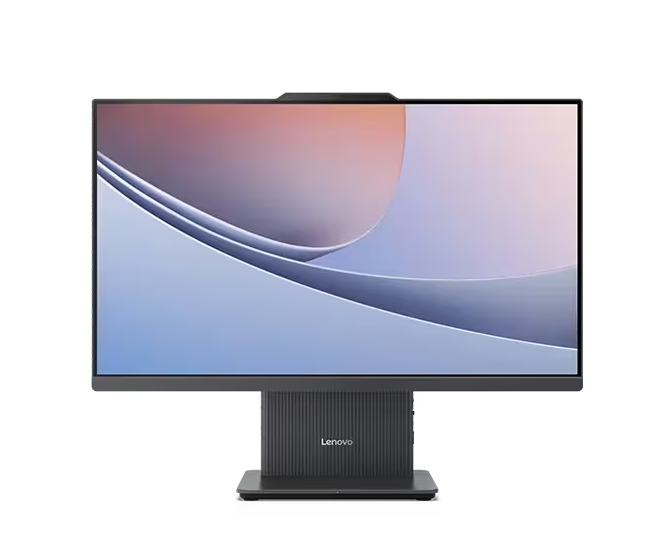
A fast computer needs a fast filing system. Your AIO screen is your main window to the world. Keep your desktop icons to a bare minimum. Use folders and cloud storage to hide the mess. A clean digital space mirrors your clean physical desk.
Create a Logical Folder Tree
Group your projects by date or by client name. This saves you minutes of searching every hour. Those minutes add up to days over a year.
Use High Resolution Wallpapers
Pick a background that inspires your best work. High definition images look stunning on AIO screens. They provide a window to nature or art.
6. Expand Your View with a Second Screen
Sometimes one screen is not enough for big projects. Most AIO computers have a port for a second monitor. This doubles your digital real estate instantly. You can keep your email on one side and work on the other. It stops the constant switching between different tabs.
- Match the height of both screens exactly.
- Use the second screen for reference material.
- Keep your primary tasks on the AIO.
- Select a slim monitor to match the AIO style.
Extra space makes complex work feel much easier. You see the whole picture at a single glance. With more screen space you need better sound.
7. Create a Private Sound Sanctuary
Sound shapes the environment around your computer. AIO computers often have decent built in speakers. However a smart workspace needs more control. Use noise canceling headphones to block out the world. This creates a bubble of focus for deep work sessions.
- Play lo-fi beats for steady concentration.
- Use a dedicated mic for clear video calls.
- Place small speakers behind the screen.
- Hide the speaker wires behind the AIO stand.
A quiet space helps you enter a flow state. You become one with your tasks and the machine. Finally we add the finishing touches to your area.
8. Add Green Life to Your Tech Hub
Technology feels cold without a touch of nature. Place a small plant next to your AIO computer. Plants clean the air and lower your stress levels. They provide a soft contrast to the hard edges of the screen. This balance makes the office feel like a home.
- Choose a low light plant like a snake plant.
- The desk should be complemented with a pot that matches its color.
- The plant needs watering every week to maintain its freshness.
The combination of greenery with professional workspaces creates a complete visual effect. It brings a sense of life to your digital world. Your smart office is now a complete ecosystem.
Conclusion
Building a smart workspace is a gift to yourself. You started with a simple AIO computer. You added light and comfort and green life. Each step made your desk a better place to be. You now have a zone that supports your goals. This setup will help you work faster and feel better. Take a look at your desk right now. Choose one strategy from this list and start today. Your future self will thank you for the extra space. Enjoy the clarity and the power of your new office.