













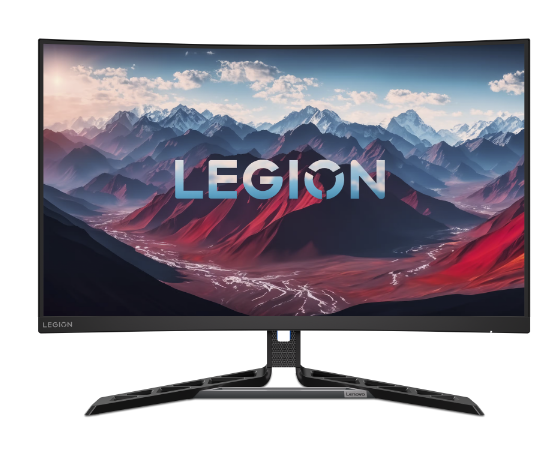
Gaming has grown beyond entertainment and now connects performance focus and professional use in one powerful setup. Many players stream content, manage creative projects, and switch between work and play during the same day.
Because of this shift, display technology has also evolved to support both speed and flexibility. The best gaming monitor no longer focuses only on refresh rate and response time. Instead, it also includes features that improve connectivity and device control.
USB-C and KVM switching now stand at the center of this change because they simplify how users connect and manage multiple systems. As a result gamers enjoy cleaner desks, faster transitions and smoother workflows.
Therefore the best gaming monitor today reflects a balance between high-performance gaming and practical everyday productivity.
1. USB-C Creates a Single Cable Solution
One major reason the best gaming monitor now includes USB C comes from simplicity. Traditional setups often require separate cables for video power and data transfer. Because of this desk spaces fill with wires and connections become harder to manage. However USB C combines video data and power delivery into one single cable.
As a result users connect a laptop or compatible device through one port and instantly receive display output charging and accessory support. This simple connection reduces clutter and speeds up setup time.
A professional gamer who depends on the best gaming monitor while traveling can return home and reconnect everything using just a single USB-C cable. With one connection the monitor powers the system links external storage devices and delivers high resolution display output without any extra configuration. As a result USB-C improves operational efficiency and keeps the gaming setup clean, organized and streamlined.
2. KVM Switching Controls Multiple Devices with One Setup
Another important reason the best monitor includes KVM switching relates to device control. Many gamers use both a desktop gaming PC and a work laptop. Without KVM technology they would need separate keyboards and mice for each system. This approach increases desk clutter and slows transitions.
KVM switching solves this issue by allowing one keyboard and one mouse to control multiple devices directly through the monitor. Because the monitor manages input signals users switch systems with a simple button press.
How KVM Switching Helps Users
- It removes the need for duplicate keyboards and mice
- It allows instant switching between work and gaming systems
- It keeps the desk organized and clean
- It saves time during daily transitions
As a result gamers who also work from home enjoy a smooth shift from professional tasks to gaming sessions. This balance makes the best gaming monitor suitable for both entertainment and productivity.
3. Better Support for Modern Laptops and Consoles
Technology continues to move toward USB C connections across laptops, tablets and even some gaming devices. Because of this trend monitor manufacturers adapt to meet user expectations. The best gaming monitor includes USB C to support this growing ecosystem.
When a monitor offers USB C it connects easily to modern laptops without requiring adapters. This compatibility ensures that users experience high resolution output and stable performance. Furthermore some gaming consoles and handheld devices also benefit from USB C video output.
As a result players connect portable systems to larger displays with minimal effort. This flexibility strengthens the value of the monitor because it supports both stationary and mobile gaming setups. Therefore USB C helps future proof the best monitor for evolving technology standards.
4. Cleaner Desk Setup Improves Focus
A cluttered desk can reduce concentration and create unnecessary stress. When cables stretch across the surface and multiple input devices crowd the area visual distraction increases. Because gaming often requires strong focus and fast reaction times the environment matters.
The best gaming monitor with USB C and KVM switching supports a cleaner layout. Since one cable handles display and power and one keyboard manages multiple systems the desk appears organized and open. This tidy arrangement helps players concentrate on gameplay rather than technical adjustments.
Moreover a clean workspace also improves streaming and content creation setups. Viewers often notice background details during live broadcasts. Therefore a neat desk supported by advanced monitor features strengthens both performance and presentation.
5. Faster Transitions Between Work and Play
Modern professionals often combine gaming with remote work or creative projects. During the day they attend meetings and review documents. Later they launch high performance games. Because of this blended routine quick transitions matter.
The best gaming monitor enables these shifts through USB C and KVM technology. Users press a button to switch input sources while keeping the same keyboard mouse and display. As a result they avoid unplugging cables or adjusting hardware connections.
Daily Workflow Advantages
- Quick switch from office laptop to gaming PC
- Continuous use of one high quality display
- Reduced downtime during system changes
- Smooth control without reconnecting accessories
Consequently users maintain productivity without sacrificing gaming performance. This efficiency supports both professional responsibilities and personal enjoyment within the same workspace.
Conclusion
Gaming technology continues to advance, and you can expect more than high refresh rates and sharp visuals. They look for solutions that simplify connections, manage multiple devices and support daily productivity.
The best gaming monitor meets these expectations by including USB C and KVM switching as standard features. Because these tools reduce clutter, speed up transitions and improve control they transform the monitor into a powerful hub. ‘
As a result gamers creators and professionals enjoy a balanced setup that supports both work and play without compromise. When you choose a display that understands how you move between systems and tasks you build a workspace that feels organized, efficient and ready for anything.
In the end the best monitor does more than display games. It connects your digital world into one seamless experience that works as hard as you do.