













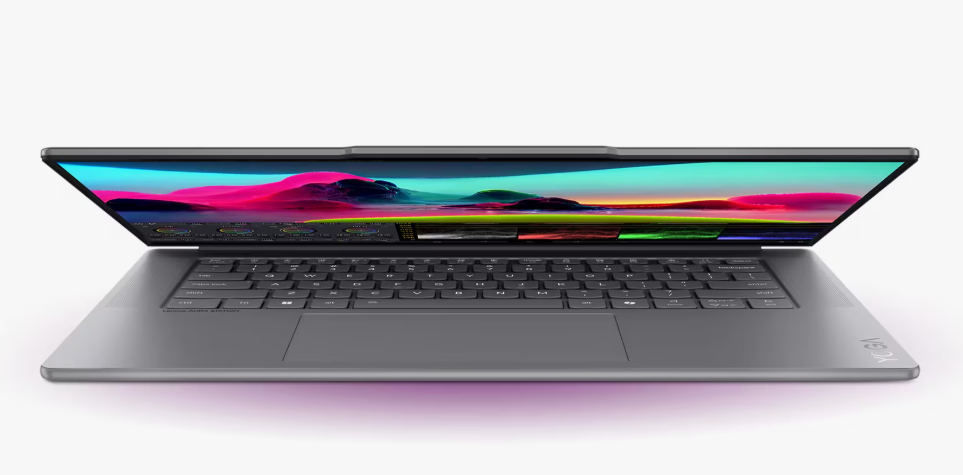
Traditional computers follow instructions, but AI computers actually learn from your habits. This shift changes everything for your daily productivity. These machines use special chips to handle massive amounts of data at lightning speeds. These systems predict what you need before you even click a button. They manage your battery life and prioritize your most important apps.
This technology turns a standard computer into a dedicated personal assistant. The system establishes an exact link between human intentions and machine operations. Your productivity increases throughout the day because you accomplish more work with reduced effort. Let us explore how these smart machines change the game.
1. Smart Resource Allocation Boosts Speed
Your computer usually shares power equally among all open programs. But an AI computer changes this by analyzing usage patterns in real time, dynamically allocating CPU, GPU, and memory resources to priority applications for faster and more efficient performance. They funnel extra power to your heavy design software while cooling down background tasks. This ensures your active window never stutters or freezes during work.
The hardware understands your schedule and prepares for your heaviest tasks in advance. Because the system manages energy so well, you experience a much smoother workflow overall. This efficiency leads us directly into how these machines handle specific visual challenges.
2. Neural Processing Units Accelerate Graphics
Standard processors often struggle with high-resolution video and complex 3D rendering. AI computers feature a Neural Processing Unit or NPU to take over these chores. This dedicated engine handles math-heavy visual tasks without draining your main battery.
- NPUs render images up to five times faster than older systems.
- They allow for real-time background blurring in video calls.
- The chip identifies faces and objects in photos instantly.
Real-Time Video Optimization Matters
While you stream video, the AI cleans up the noise and sharpens the edges. It adjusts the brightness frame by frame to match your room lighting perfectly. This constant adjustment keeps your eyes fresh during long sessions.
These visual upgrades set the stage for much better communication during your digital meetings.
3. Intelligent Noise Cancellation Clarifies Voice
Background noise ruins professional calls and distracts everyone on the line. AI computers use voice isolation technology to filter out barking dogs or loud fans. The system recognizes your unique vocal frequency and blocks everything else out.
This means you can work from a busy coffee shop without any audio issues. Your voice stays crisp and clear for every listener on the other side. High-quality audio is just the beginning of how these machines protect your workspace.
As we move towards a more smart era of computing, an AI computer is going to be a frontrunner. As per a report, AI computers (PCs) will account for more than 55% of the total PC share in 2026.
4. Proactive Security Stops Threats Faster
Traditional antivirus software needs to wait until a virus attack occurs before it can take any action. AI systems continuously check system operations to identify any activities that appear to be suspicious. They recognize a hacking attempt by how the files are moving.
- The system blocks unauthorized access in milliseconds.
- It learns new malware patterns without needing a manual update.
- Your data stays encrypted behind layers of smart protection.
By keeping your data safe the machine creates a stable environment for creative endeavors.
5. Personalized Battery Management Extends Life
Most laptops lose battery health because they charge inefficiently. An AI computer observes your charging patterns to create a power distribution system which matches your requirements. The system maintains battery power at ideal levels to protect against permanent damage.
You get hours of extra work time without hunting for a power outlet. Long battery life gives you the freedom to focus on your writing and content.
6. Automated Content Creation Speeds Up Drafting
Writing and designing take a lot of mental energy and time. AI computers offer built-in tools that help you draft emails or create layouts. These features suggest better words and fix grammar mistakes as you type.
- They generate summaries of long documents in seconds.
- You get instant suggestions for catchy headlines.
- The software organizes your messy notes into clean lists.
This creative assistance makes the transition to complex data management much easier.
7. Predictive Typing and Command Shortcuts
The more you type the more the machine understands your style. It starts suggesting whole phrases that match your professional tone perfectly. This reduces the number of keystrokes you need for every single email.
You can also set up voice commands that the AI understands through context. It knows the difference between a “mail” for a client and a “male” in a story. This accuracy saves you from embarrassing typos and slow manual editing.
8. Thermal Control Keeps Systems Cool
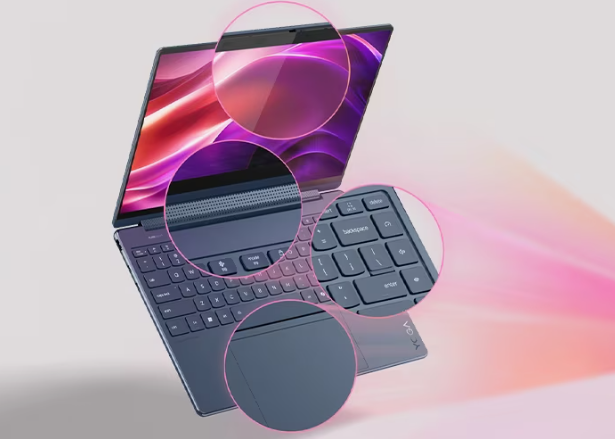
Heat is the enemy of performance and causes computers to slow down. AI sensors monitor the temperature of every internal component constantly. The system adjusts fan speeds and power usage to keep the machine cool.
This prevents “thermal throttling” which usually kills your speed during big projects. A cool computer lasts longer and runs much quieter than a stressed one. Effective cooling allows the processor to handle massive data sets without any risk.
9. Instant Language Translation Breaks Barriers
Working with global teams requires fast and accurate communication. AI computers translate live audio and text during your meetings. You can read subtitles in your language while a colleague speaks another.
- It translates documents while keeping the original formatting.
- The system understands slang and professional jargon.
- You can reply in your language and have it translated back.
Conclusion
AI computers represent a massive leap forward for every type of user. They remove the technical hurdles that used to slow us down. You get a machine that adapts to you instead of forcing you to adapt to it. These advantages prove that the future of work is both smart and incredibly fast. These tools empower your creativity every single day. Your potential grows with every new update. You gain a partner that never stops improving your results. Every task becomes an opportunity for peak digital excellence.